Splunk Enterprise Security – Incident Management
Overview
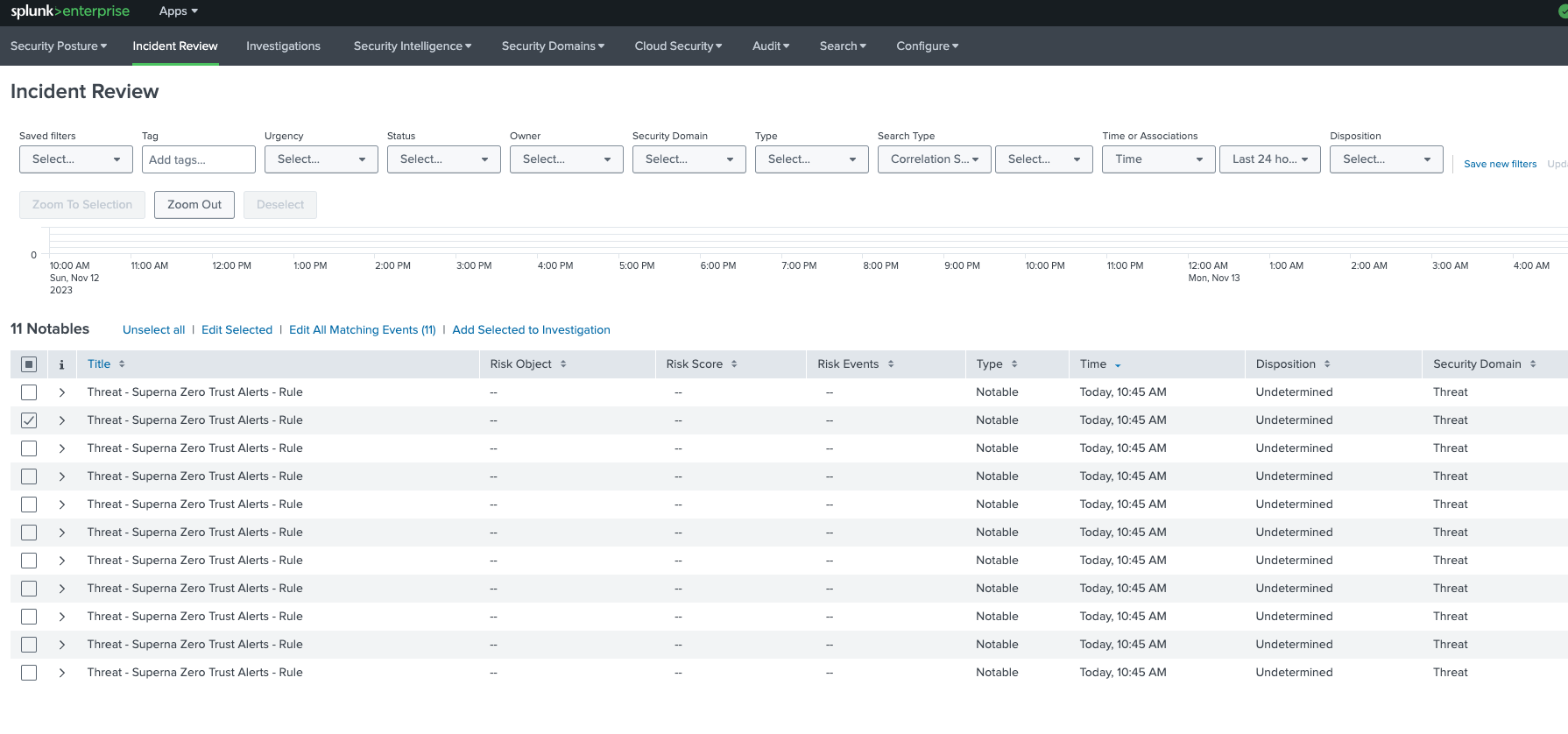
Superna Data Security Edition + Splunk Enterprise Security (ES) enables automatic incident creation from Zero Trust alerts. Your indexed Superna events are matched by ES Correlation Searches, which raise Notable Events on the Incident Review dashboard and can be added to Investigations for collaborative triage.
We’ll install and validate this integration at no charge so you can see value fast.
Next step: use Book a setup call at the top of this page.
What You Get
- Auto-created incidents: ES Correlation Searches turn Superna alerts into Notable Events visible on the Incident Review dashboard.
- Investigation workflow: Incidents can be added to Investigations and tracked to closure with owners, status, and notes.
- Actionable context: Indexed JSON fields (user, client IPs, files, severity, incident URL) support fast pivots and enrichment.
- Simple architecture: Reuses your Splunk HEC ingestion — no new middleware.
How It Works
- Detect – Superna Data Security Edition identifies a threat (ransomware, mass delete, insider threat).
- Ingest – A lightweight service on the SCA (Eyeglass VM) forwards JSON to Splunk HEC (same as the SIEM page).
- Correlate – In Splunk ES, a Content Library Correlation Search runs on a schedule (default ~5 minutes) to match Superna events.
- Raise – The search triggers the Notable action to create a Notable Event (incident) in ES.
- Investigate – Analysts review incidents on Incident Review, add to Investigations, and pivot back to Superna for clean recovery.
Architecture / Flow
Components
- Superna Security Edition – Emits Zero Trust webhooks on critical or major events.
- Integration Service – Python app on SCA (Eyeglass) VM formats and posts JSON events to Splunk HEC.
- Splunk Enterprise – Receives via HEC and indexes events for ES to search.
- Splunk Enterprise Security – Runs Correlation Searches and creates Notable Events for Incident Management; supports Investigations.
FAQs
Do we need Splunk Enterprise Security (ES) for incidents?
Yes. Incident Review, Notable Events, and Investigations are ES capabilities.
How often do incidents get created?
On the schedule of your ES Correlation Search. The default schedule is typically around every 5 minutes; adjust to your SOC needs.
What index/sourcetype should we use?
Reuse the HEC index and _json sourcetype recommended on the Splunk Enterprise (SIEM) page so ES searches can match fields consistently.
Can we add incidents to Investigations?
Yes. From Incident Review, open a Notable and add it to a new or existing Investigation to coordinate multi-signal response.
Who can create the Correlation Search and Notable action?
Splunk admin (or ES content admin) privileges are typically required to author correlation searches and enable the Notable action.